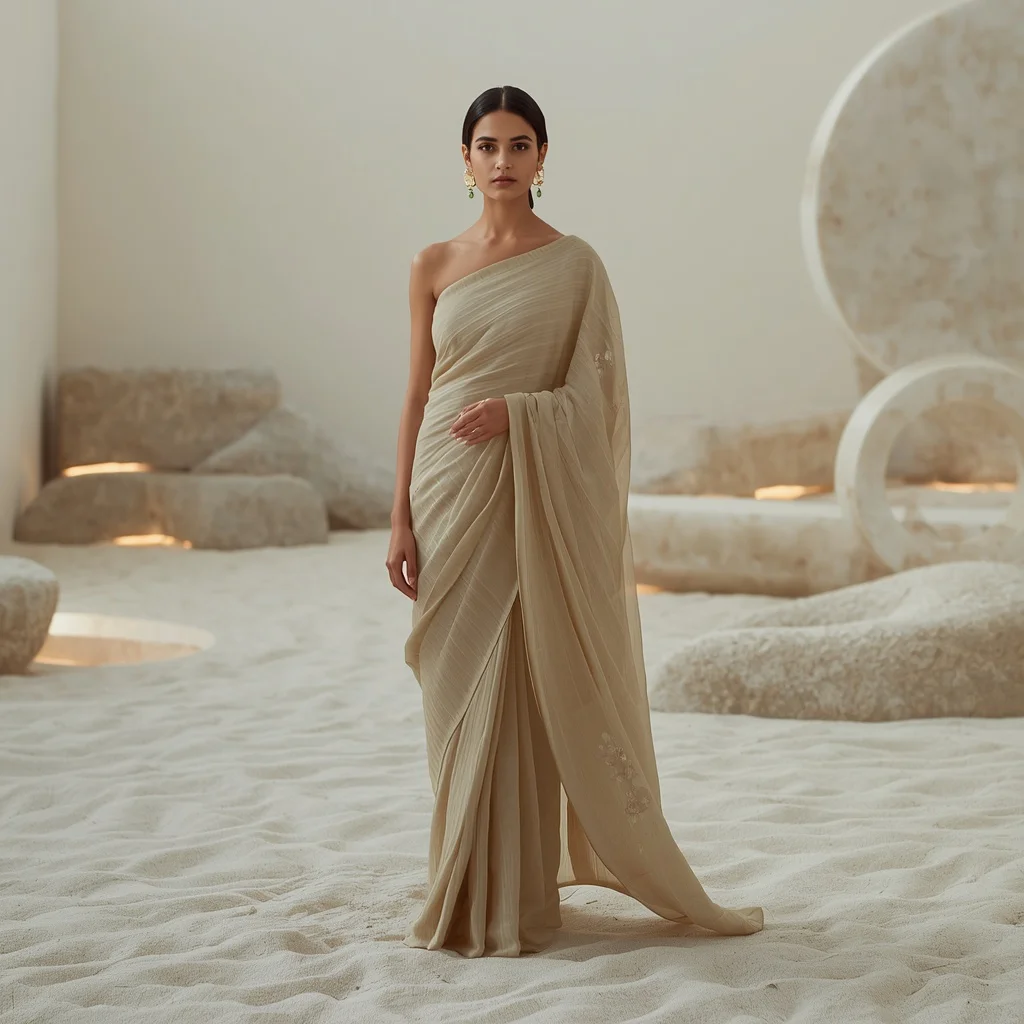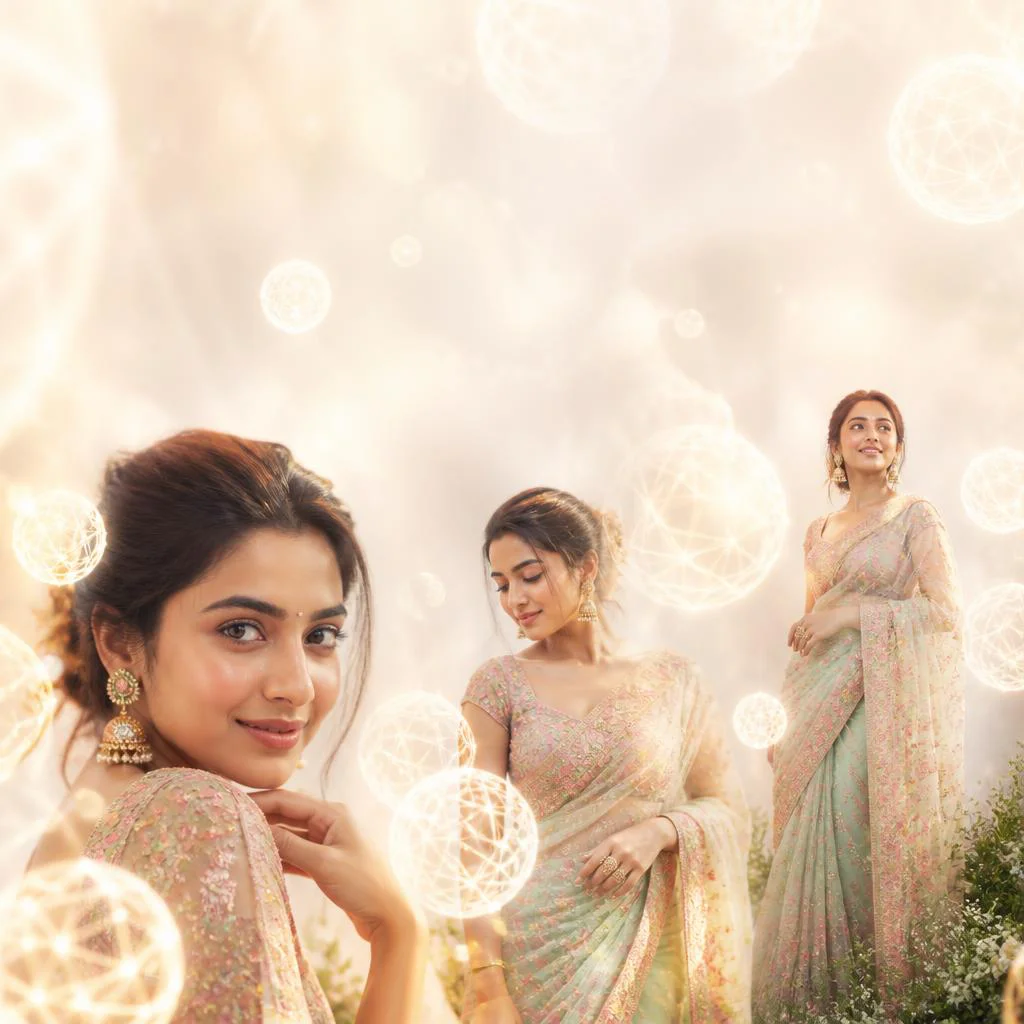


Elevate your digital artistry with mesmerizing prompts designed to capture the fusion of high fashion, surreal landscapes, and intricate patterns.
The realm of digital art has expanded exponentially, allowing creators to explore creative boundaries that were once physically and financially impossible to achieve in a traditional photography studio. Women's artistic body paint photography and creative fashion designs represent a pinnacle of this movement, blending human grace with elaborate geometric, natural, and cosmic themes. By using advanced generative engines, you can instantly render complex visuals that combine couture styling with magical environments.
Whether you are designing for a digital portfolio, social media feeds, or professional marketing campaigns, having access to precise, descriptive prompts is key. These prompts act as a bridge between your creative vision and the neural networks of modern AI generators. They instruct the algorithm on lighting, costume textures, environmental depth, and emotional expression, ensuring that the resulting artwork is both cohesive and breathtaking.
In this comprehensive guide, we will break down the mechanics of generating high-end fashion and artistic collages. We will explore the specific elements that make these prompts successful, from the selection of color palettes to the integration of complex framing techniques like multi-frame collages. Read on to discover how you can master this trending genre of AI-generated imagery and elevate your creative output.
What Are Women's Artistic Body Paint Photography?
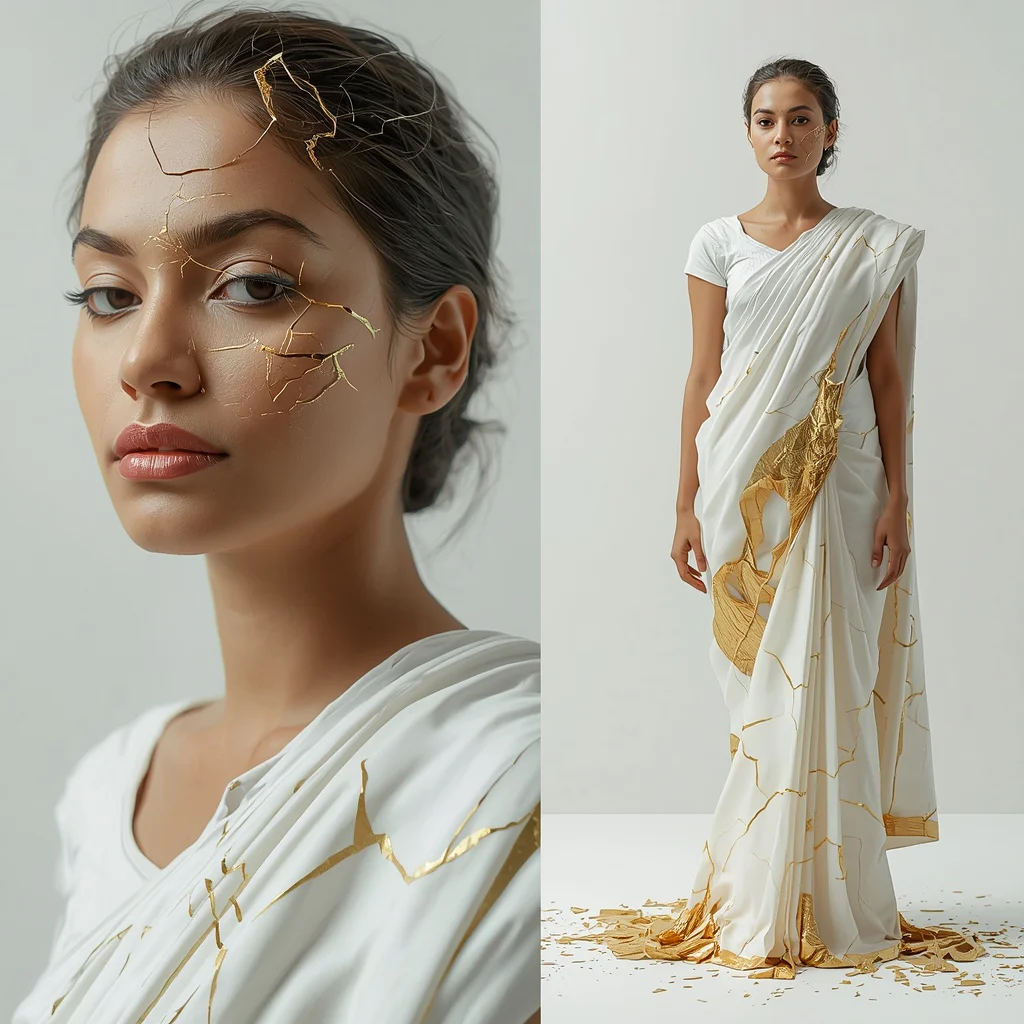
Women's artistic body paint photography and creative fashion generation refer to the digital synthesis of highly styled portraits where the human form is adorned with intricate patterns, couture garments, or environmental elements that mimic body art. This style often blurs the line between clothing, skin, and the surrounding atmosphere. For instance, designs might feature geometric Art Deco patterns that seem to frame the subject, or shimmering snowflake patterns that wrap around the model's form like a delicate second skin.
In the context of AI image generation, this genre relies heavily on descriptive modifiers that dictate textures, surface reflections, and thematic elements. Rather than relying on physical paint, the AI uses complex mathematical representations of light and material properties to simulate realistic textures such as metallic threads, shimmering crystals, mirror work, and wet surfaces. This allows for a level of detail and fantasy that is incredibly difficult to capture in traditional photography.
Why Women's Artistic Body Paint Photography Is Trending
This genre is currently experiencing a massive surge in popularity across platforms like Instagram and Pinterest. The primary driver of this trend is the visual novelty it offers. Audiences are constantly seeking fresh, eye-catching aesthetics that stand out in crowded social media feeds. The combination of high-fashion styling with surreal, dreamlike backgrounds—such as an amethyst crystal canyon or a luminous whispering stream—creates an instant sense of wonder and engagement.
Furthermore, these prompts allow creators to explore diverse cultural aesthetics with unprecedented ease. From traditional Indian bridal looks featuring golden lehengas with intricate mirror work to modern Indo-Western shararas set against global desert plateaus, AI empowers global storytelling. It democratizes high-fashion photography, making premium, campaign-level visuals accessible to independent designers, digital influencers, and hobbyists alike.
Popular Styles You Can Create
When working with these prompts, you can explore a wide array of artistic styles. Each style utilizes distinct color palettes, lighting setups, and thematic props to evoke a specific mood. Here are some of the popular styles you can generate using our curated prompt list:
- Art Deco Geometric Collage: Elegant 1920s aesthetic featuring glamorous gowns, feathered headbands, long cigarette holders, and a luxurious gold, black, and ivory color palette.
- Couture Amethyst Crystal Canyon: Futuristic, high-fashion look with a rich amethyst purple gown embellished with shimmering crystals and metallic threads in a statuesque pose.
- Abstract Cosmic Dust Ring Collage: A mystical, celestial theme featuring an astrologer woman, glowing orbs, and swirling rings of cosmic dust in deep blues, purples, and shimmering gold.
- Regal Indian Desert Mirage: An ultra-realistic fashion model in a flowing golden lehenga with intricate mirror work, set against heat-hazed desert dunes at golden hour.
- Shimmering Snowflake Orb: A serene winter theme with a graceful gown, delicate snowflake patterns, and a cool, ethereal color palette of crisp whites and icy blues.
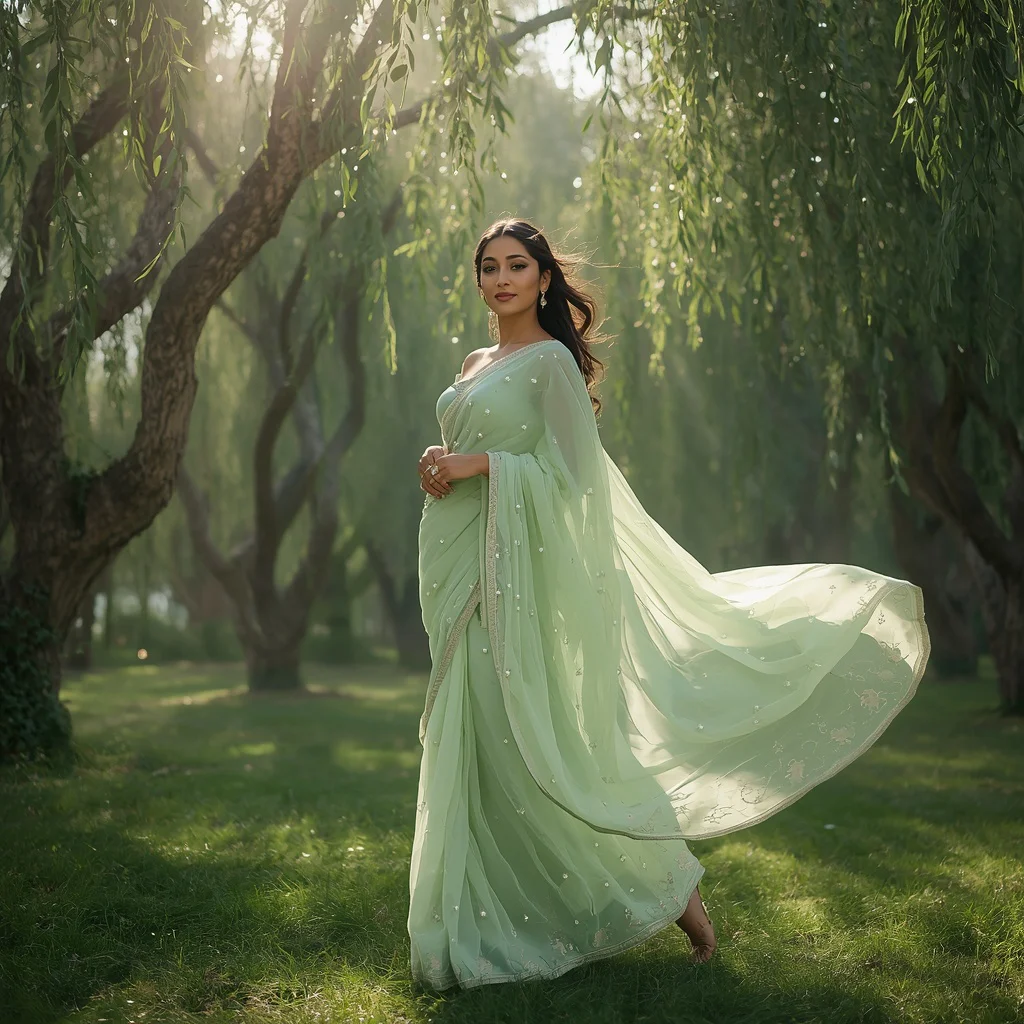
- Magical Modern Lehenga: A dreamy, pastel mint green lehenga with silver embroidery, set in a luminous whispering stream with ancient rock formations.
- Indo-Western Sharara: A trendy, vibrant terracotta orange sharara paired with a bohemian embroidered crop top, set on a globally inspired desert plateau.
- Sculpted Water Droplet Collage: A pure, calm aesthetic featuring flowing white attire framed by suspended water droplets reflecting a glassy pool.
- Glamorous Evening Gown by the Sea: A cinematic twilight portrait featuring a shimmering emerald or sapphire gown, pearl jewelry, and soft ambient lighting.
- Delicate Snow Crystal Collage: A tranquil winter beauty wearing warm gloves, framed by intricate snow crystal patterns in a pristine snowy landscape.
How to Use Women's Artistic Body Paint Photography
To get the most out of these creative prompts, you need a structured workflow. It is not just about copying and pasting; it is about understanding how to tweak the variables to match your specific artistic goals. By following a systematic approach, you can maintain consistency across your portfolio while exploring diverse visual themes.
First, identify the core theme you want to explore—whether it is a winter wonderland, a cosmic landscape, or a desert mirage. Once you have selected your theme, you can customize the garment colors, ethnic features, and background details to create a unique piece of art. Let's look at a step-by-step process to help you execute these prompts flawlessly.
- Select a Base Prompt: Choose one of the 10 curated prompts from our list that matches your desired aesthetic.
- Customize the Subject: Modify the description of the woman, including her expression, hairstyle, and cultural background if desired.
- Adjust the Color Palette: Swap out the suggested colors (e.g., changing amethyst purple to emerald green) to fit your brand or portfolio theme.
- Choose Your Tool: Copy the modified text and prepare to paste the prompt into your preferred generative AI platform.
- Set the Aspect Ratio: Adjust the generation settings to match your delivery platform (e.g., 9:16 for Instagram Reels/TikTok, or 16:9 for widescreen displays).
- Generate and Review: Run the prompt and generate multiple variations, looking closely at the details, lighting, and anatomical correctness.
- Refine and Upscale: Select the best image and use upscaling tools to enhance the textures, making the body paint or fabric details look ultra-realistic.
What Kind of Base Photo Works Best?
If you are using an image-to-image workflow, where you feed a base photo into the AI along with your text prompt, selecting the right starting image is crucial. The base photo acts as a structural guide for the AI, helping it map the artistic elements onto the subject's form accurately.
The ideal base photo should feature clear, high-contrast lighting and a clean, uncluttered background. A studio portrait with a solid gray or white backdrop works best. The subject should have a clear, defined pose with minimal clothing coverage if you want the artistic body paint or intricate gown patterns to wrap naturally around the contours of the body. Avoid busy backgrounds, as the AI may struggle to separate the subject from the environment, leading to messy blended textures.
Which AI Tools Deliver the Best Results?
There are several advanced AI tools available today that can translate these highly descriptive prompts into stunning visual masterpieces. Each tool has its own strengths, rendering styles, and user interfaces. Depending on your specific needs, you can paste the prompt into any of the following industry-leading platforms:
| AI Tool | Best For | How to Use |
|---|---|---|
| Midjourney | Photorealistic textures, cinematic lighting, and artistic styling. | Paste the prompt into the Discord bot interface and append your desired aspect ratio parameters. |
| Flux | Excellent text rendering, sharp details, and complex anatomical accuracy. | Paste the prompt directly into any Flux-supported web interface or API wrapper. |
| Leonardo | Custom fine-tuned models, precise pose control, and easy inpainting. | Use the image generation panel, select a photorealistic model, and paste the prompt. |
| ChatGPT | Prompt expansion, creative brainstorming, and conceptual variations. | Ask the model to expand or modify these prompts before pasting them into your image generator. |
| Gemini | Quick image generation and alternative stylistic suggestions. | Paste the prompt into the chat interface to generate quick visual concepts and variations. |
Pro Tips
To truly master this genre and produce images that look like they were shot by a professional fashion photographer, keep these expert tips in mind. First, pay close attention to lighting modifiers. Using terms like 'golden hour sunlight,' 'volumetric lighting,' or 'soft ambient twilight lighting' can completely transform the mood and depth of your image.
Second, leverage the power of framing. Multi-frame collages are highly engaging because they tell a story from multiple angles—such as a close-up of a feathered headband, a detail shot of hands, and a full-body stance. Finally, don't shy away from using high-fashion terminology like 'couture,' 'avant-garde,' 'bespoke,' and 'statuesque pose' to instruct the AI to generate premium, high-end aesthetics rather than generic stock-photo looks.
Common Issues and Quick Fixes
Even with highly detailed prompts, you may occasionally run into issues during the generation process. This is a natural part of working with generative AI. Understanding how to troubleshoot these common problems will save you time and help you achieve the perfect image faster.
| Common Issue | Root Cause | Quick Fix |
|---|---|---|
| Distorted or extra limbs | Complex poses or multi-frame collage layouts can confuse the AI's spatial understanding. | Simplify the pose description or use the inpainting tool to regenerate only the distorted area. |
| Color bleeding or muddy tones | Conflicting color descriptions in the prompt (e.g., mixing too many vibrant colors). | Limit your color palette to two or three dominant tones (e.g., 'gold, black, and ivory'). |
| Loss of fabric detail | Low resolution rendering or lack of texture-specific keywords. | Add descriptive words like 'intricate mirror work,' 'heavy embroidery,' or 'shimmering crystals' and upscale the image. |
Frequently Asked Questions
What is the best way to capture fine details in these prompts?
To capture fine details like intricate embroidery, mirror work, or water droplets, use highly descriptive sensory words in your prompts and utilize high-resolution rendering parameters. Pasting these prompts into advanced engines like Midjourney or Flux with detail-enhancing modifiers will yield the sharpest results.
Can I customize the ethnic styles and clothing colors?
Yes, absolutely. You can easily modify the clothing types, colors, and cultural elements. For example, you can change a terracotta orange sharara to a royal blue saree, or swap a modern mint green lehenga for a classic ivory evening gown by simply editing the text before pasting it into your preferred AI tool.
How do I prevent the AI from generating distorted limbs in complex poses?
Complex poses like dynamic walks or multi-frame collages can sometimes result in anatomical distortions. To resolve this, use clear pose descriptions such as 'regal statuesque pose' or 'poised and graceful.' If distortions occur, utilize the inpainting or vary-region features of tools like Leonardo or Midjourney to regenerate specific areas.
Conclusion
Generating women's artistic body paint photography and creative fashion designs using AI is an incredibly rewarding process. By combining structured prompts with advanced generative tools, you can create breathtaking, high-fashion imagery that captivates your audience. Remember to experiment with different styles, colors, and framing techniques, and use our troubleshooting guide to refine your results. Paste these prompts into your favorite AI tool today and unlock a new world of digital creativity!